PressCommander Touchscreen
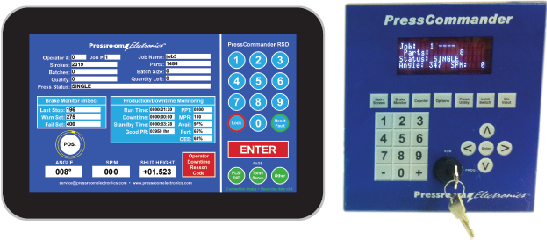
The PressCommander Touchscreen (Part #39-151) is a 10.1” color display upgrade (shown left) for the resolver-based PressCommander Press Control, replacing the standard four-line alpha-numeric display (shown right). This advanced touchscreen offers intuitive operation, full programming capability, and enhanced features to streamline machine utilization and production monitoring. Its built-in wireless Windows operating system with 32 GB of memory enables seamless connectivity and powerful data integration.
The touchscreen provides operators and supervisors with real-time press operational status and supports automatic data logging into Excel spreadsheets for production tracking and downtime analysis. Pre-programmed yet customizable screens ensure ease of use, making it simple to access and configure features for improved efficiency and performance.
PressCommander Applications/Categories: Resolver Based Clutch/Brake Controls, Punch Press Automation Controllers, Time Based Brake Monitoring, Programmable Limit Switches (PLS), Shut Height Indicator, Die Protection Systems, Servo Feed Interface, Tonnage Monitoring, Signature Tonnage Analysis*, Production/Downtime Monitoring**
*Requires Touchscreen and signature tonnage option
**Requires Touchscreen and option for generating OEE (Overall Equipment Efficiency)
Features
- Enhanced Display:
- 10.1” color touchscreen for clear and intuitive interaction.
- Replaces the standard alpha-numeric display of the PressCommander.
- Advanced Programming Capabilities:
- Timers, counters, and die protection.
- Tonnage monitoring (peak or signature).
- PLS (programmable limit switches).
- Downtime production monitoring.
- Built-in Windows Operating System:
- Wireless connectivity for data integration.
- 32 GB of memory for robust data storage.
- Data Logging and Integration:
- Automatic export of press data into Excel spreadsheets.
- Log files for tracking production status and downtime reasons.
- Customizable Interface:
- Pre-programmed screens for ease of operation.
- Customizable layouts to fit unique production requirements.
- Operational Insights:
- Provides operators and supervisors with real-time press status.
- Enhances machine utilization and operational efficiency.
The touchscreen option transforms the PressCommander into a fully integrated control system, offering unparalleled ease of use, data visibility, and operational control.
Operator Screens
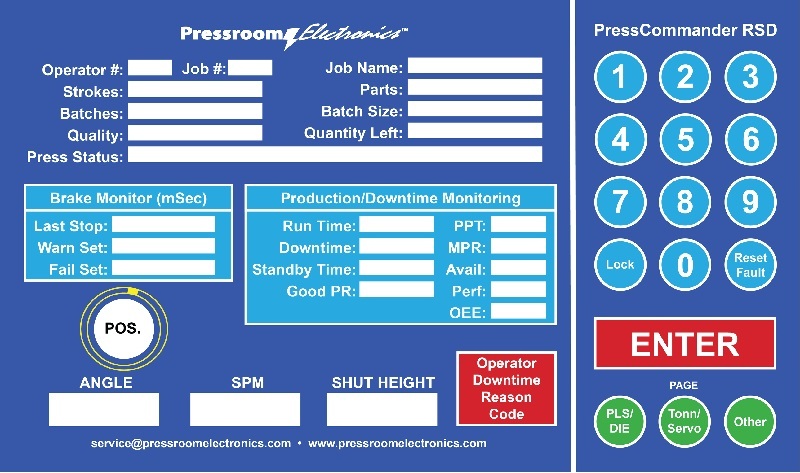
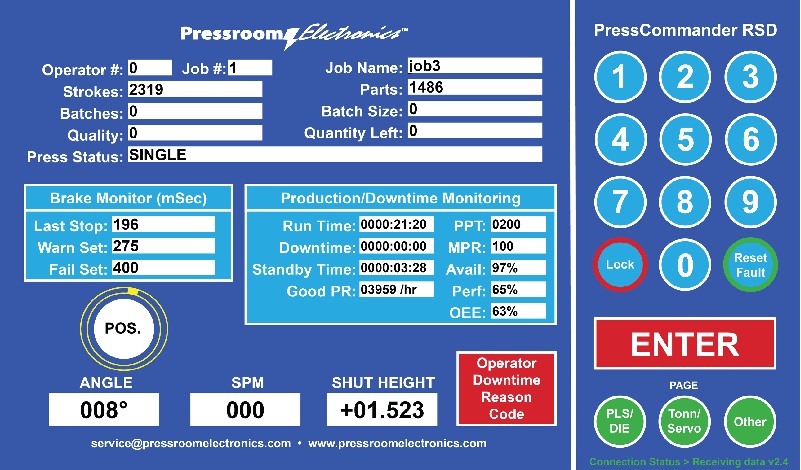
The Operator Screen provides key press information for the current job, along with a real-time update of production and downtime status. This built-in management tool automatically calculates the Overall Equipment Effectiveness (OEE), offering valuable insights for press operators and front-line supervisors.
Data is captured directly on the production floor at the machine and can be seamlessly transmitted to the production office for storage and global sharing among team members, if enabled by the management team.
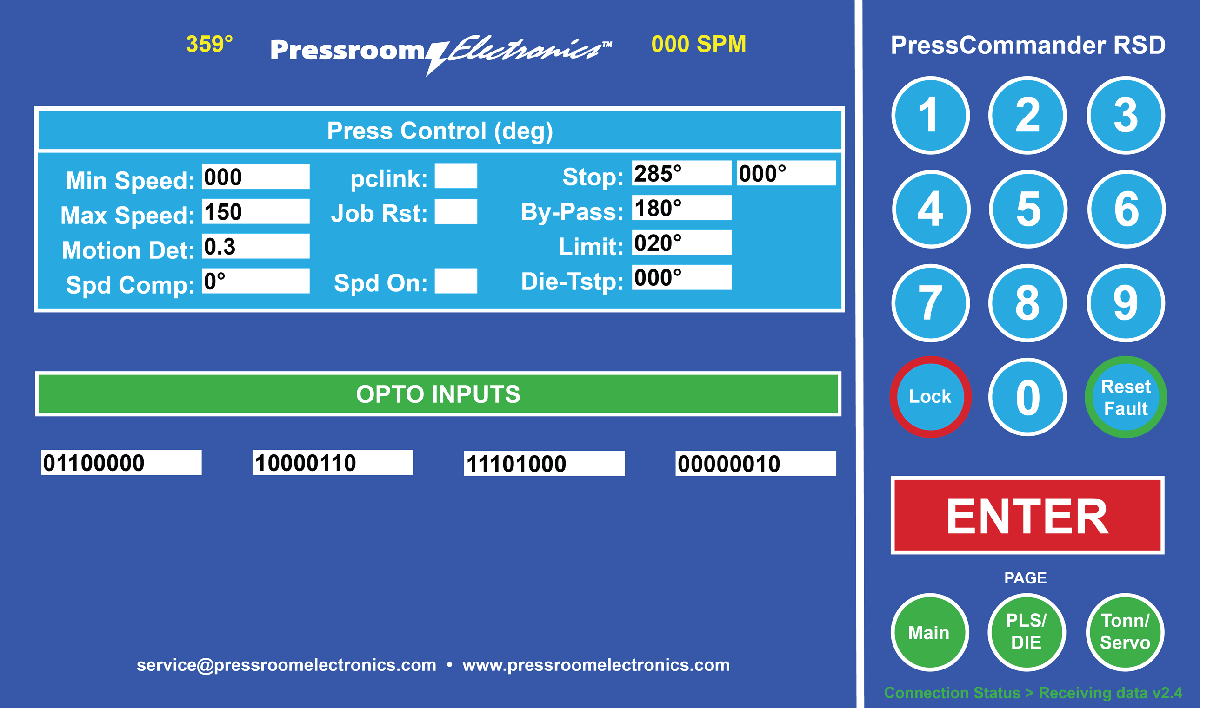
Press Setup Screen
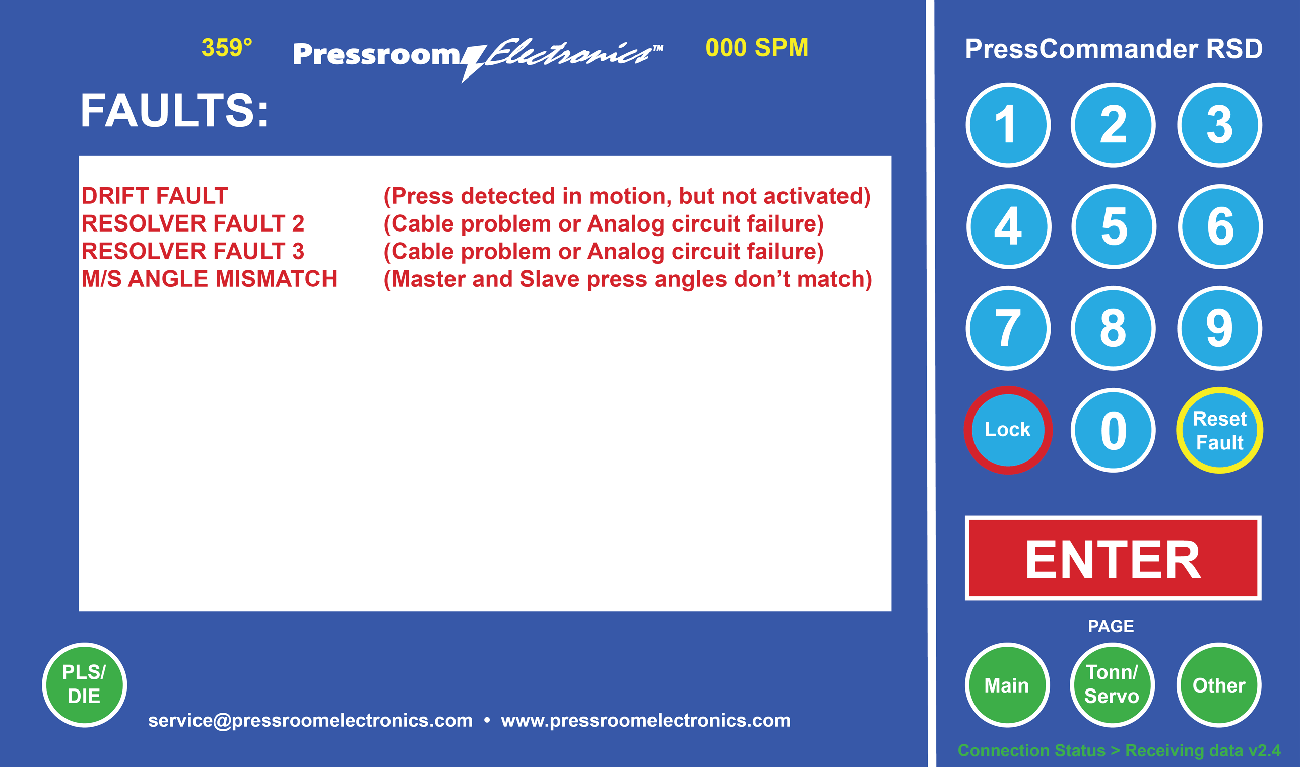
Fault Message Screen
Fault monitoring messages can be recorded into Excel files automatically.
Die Protection/PLS Screen
6 programmable Inputs and outputs are supplied standard.
Optional Expansion:
- Expander board #52-279 adds six additional die protection inputs and six dry relay contact outputs, increasing the PressCommander’s capabilities:
- Expands die protection capacity from 6 to 12 stations.
- Increases programmable limit switches from 6 to 12 with mechanical relay (dry) outputs.
- Expander power supply board #52-280 stacks beneath expander board #52-279 and is required to power its functions.
Request both part numbers (52-279 and 52-280) if expansion is desired.

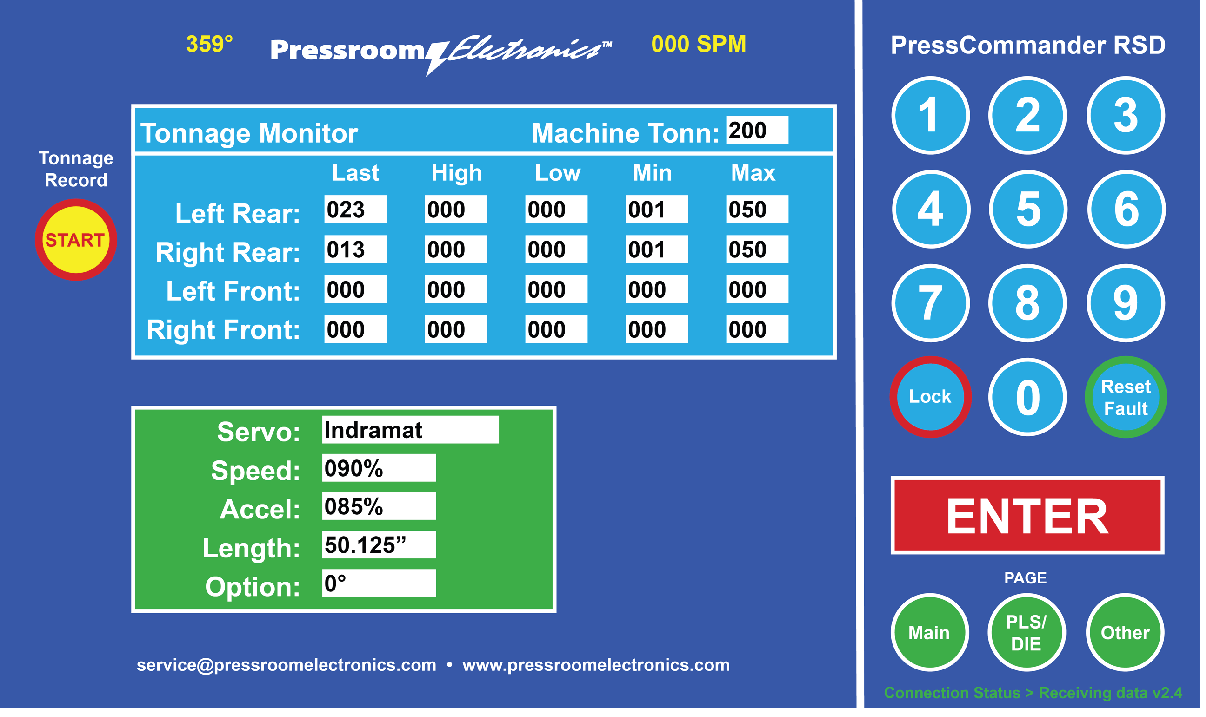
Servo Control/Tonnage Monitoring Screen
Servo Control with optional 2 or 4 channel Peak Tonnage Monitoring or Signature Analysis is shown below. All data can be recorded into log files.
Production & Downtime Monitoring System (PDMS)
The Pressroom Electronics Production & Downtime Monitoring System (PDMS) is a powerful shop floor control and management tool designed to optimize plant performance. By leveraging its features, management can achieve significant improvements in productivity, throughput, rework, order fulfillment, and quality.
Core Definitions:
- Run Time: Actual time spent producing parts.
- Downtime: Actual time attributed to operator downtime (via reason codes) or press fault codes (e.g., brake fault, die fault).
- Standby Time: Idle time due to breaks, lunch, or unspecified reason codes.
- Good PR (Good Parts Rate): Actual part production rate (calculated as parts/hour).
- PPT (Planned Production Time): Maximum standard operating time per shift, excluding breaks and lunches (user-defined).
- MPR (Maximum Production Rate): Maximum part rate (parts per minute) expected under normal conditions, considering equipment wear, tooling, and material quality (user-defined).
- Availability (%): Actual operating time / Scheduled Production Time (SPT).
- Performance (%): Actual Parts / Actual Operating Time / MPR [Actual parts produced during operating time relative to the maximum possible (MPR)].
- Overall Equipment Effectiveness (OEE): Availability x Performance x Quality.
Note: All these metrics are logged automatically, with options to store log files on remote servers for accessibility even when equipment is offline.
Implementation Phases:
- Understanding the Mechanics: Users learn to input data and interpret system outputs.
- Interpreting the Data: Supervisors and management unify their understanding of performance indices.
- Using the Data: Management applies insights to daily operations and plant performance improvements.
- Continuous Improvement (CI): The system supports budgeting, capacity planning, and CI projects.
On-Site Implementation Consulting:
To accelerate implementation and maximize the system’s potential, Pressroom Electronics offers value-added consulting services:
- Shop Floor Coaching: Hands-on coaching for supervisors and managers to ensure effective system use and a unified understanding of performance data.
- Engineered Standards: Development of standardized metrics for data integrity and effective analysis.
- Daily Review Meetings (DRM): Assistance in establishing effective meeting agendas, schedules, and facilitation methods for ongoing corrective actions.
- Custom Performance Reporting: Design of daily and weekly reports, including KPI trend graphs, to ensure accurate and actionable performance insights.
PDMS for OEE Hardware Requirements:
PDMS requires the PressCommander Touchscreen (Part #39-151), offering advanced fault and downtime analysis:
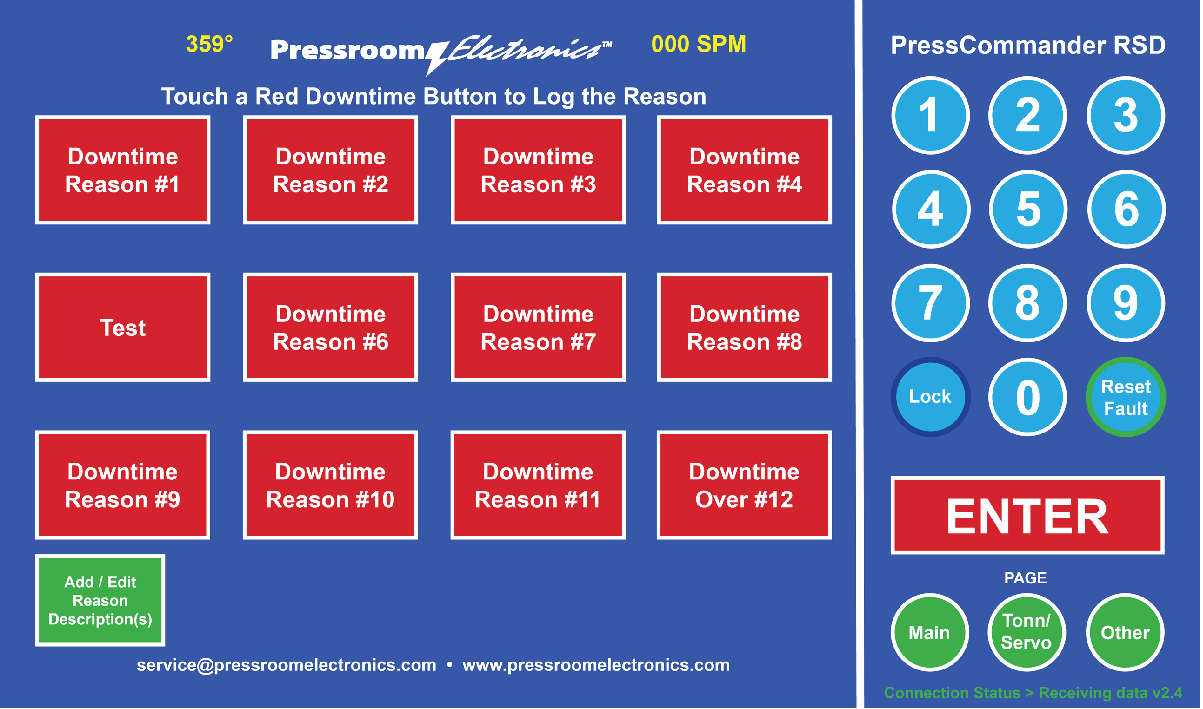
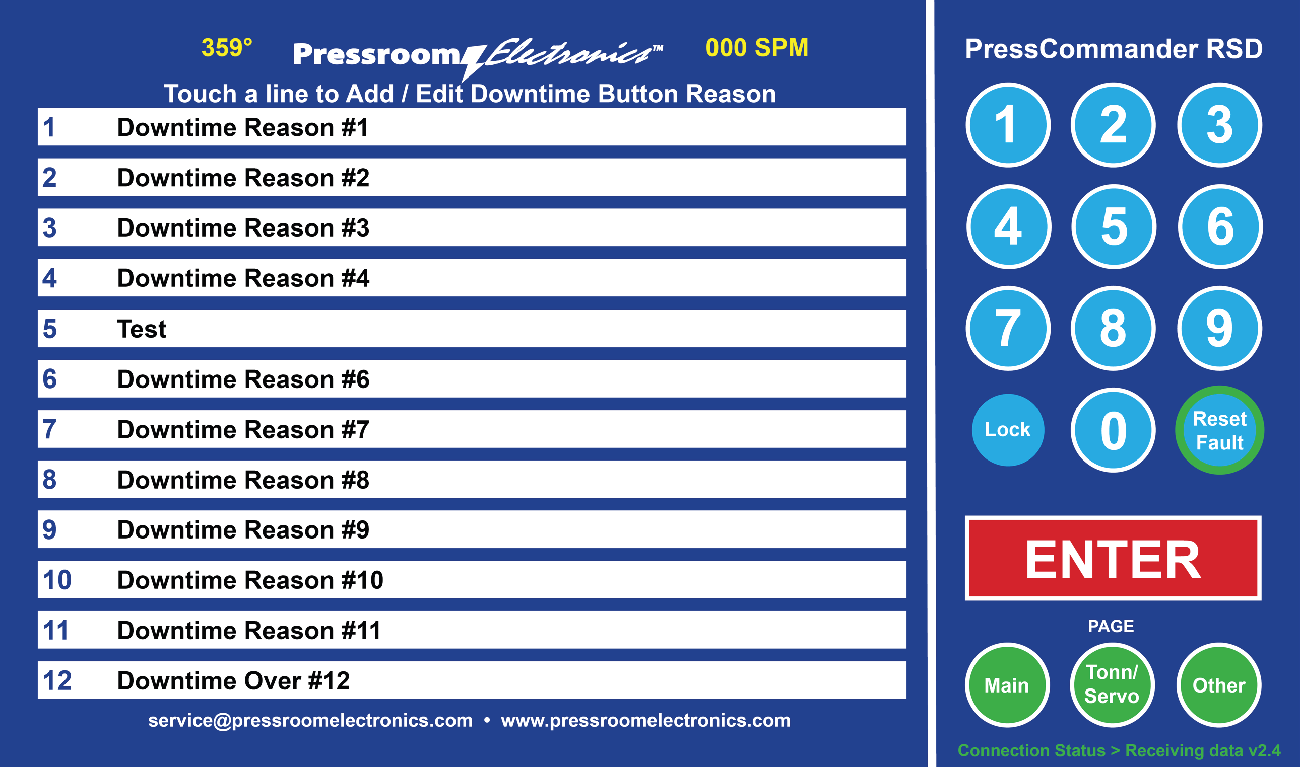
- Downtime Codes: Up to 20 customizable codes, activated manually through the touchscreen or automatically via machine circuit signals.
- Automatic Activation: Requires specific interface boards for machine-induced downtime signals:
- Part #52-320: Supports six (6) automatic downtime codes.
- Part #52-321: Supports sixteen (16) automatic downtime codes.
- Both parts include six (6) dry contact relays for stack lights, alarms, etc.
- Relay Specifications: 5A @ 250 VAC, 5A @ 30 VDC, Coil: 12 VDC.
This feature enables precise fault cause analysis for improved operational efficiency.
PDMS Screens:
The Operator Screen provides real-time press information for the current job, including a Production/Downtime section that automatically updates the press’s production and downtime status. This tool calculates the Overall Equipment Effectiveness (OEE) directly on the production floor, offering valuable insights for both press operators and frontline supervisors.
The data is easily transmitted to the production office for storage and can be shared globally with the entire team, depending on management preferences. This streamlined system ensures accurate, accessible, and actionable information for improved operational efficiency.
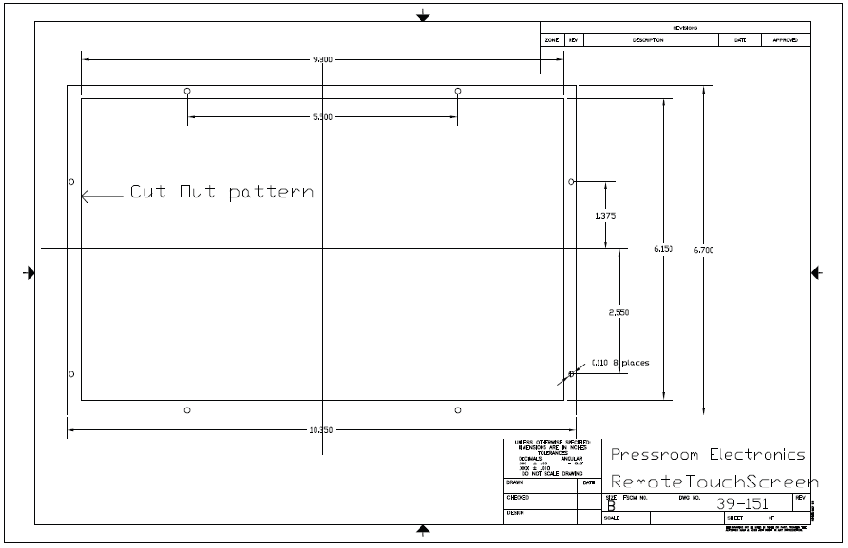
Touchscreen Cutout Pattern