Wintriss is not the only voice on this. Siemens' 2024 research puts downtime at $2.3M per hour at a large automotive plant, so even small delays in seeing a problem add up.
Digital production counters turn press, sensor, and control signals into timely production data. This guide covers how they work, why they pay off, where they fit, and how to select one.
Key Takeaways
- Counters can track strokes, parts, batches, good units, rejects, or cycles, depending on signals.
- Counts gain value when tied to targets, reason codes, and quality data.
- Specify signal type, speed, sensor placement, environment, display, retention, and integration.
- A counter gives visibility. It does not replace guarding, brake monitoring, or die protection.
What Are Digital Production Counters?
What a digital production counter measures
A digital production counter is an electronic device, or a function inside a press control, that receives pulses or machine events and records them as a number. What that number means depends on the event you wire to it. In stamping, the options look like this:
- Stroke: each press cycle, regardless of whether a part came out
- Part: completed pieces, which may be several per stroke with multiple-out dies
- Batch: a set quantity reached, such as a box or skid
- Good and reject: accepted versus scrapped parts
- Machine cycle: total cycles for maintenance and tooling life
Pressroom Electronics' PressCam 8 is one example. It has four built-in counters (stroke, batch, quality, part), and the part increment can be set from 1 to 4 parts per stroke for multiple-out dies.
Counters vs. production monitors and OEE systems
A basic counter records or displays quantity. A production monitor adds run time, idle time, rate, and often target-versus-actual. Wintriss describes its Tracker in those terms.
OEE goes further. It equals Availability x Performance x Quality, per OEE.com, so a count alone never gives a complete OEE figure. You also need run time, planned time, ideal cycle time, and a good-part count.

MES software sits above these layers, tracking manufacturing from raw material to finished goods.
Who uses them in metal stamping?
- Small and mid-size job shops with aging mechanical presses
- High-volume automotive and appliance plants
- Press rebuilders and machinery OEMs
- Maintenance contractors and industrial distributors
How Digital Production Counters Work in a Pressroom
Capturing a reliable signal
A counter can take input from a proximity sensor, photoelectric sensor, encoder, PLC, or press control. The signal must represent the event you care about, such as a completed stroke or an ejected part, not an intermediate motion.
Common causes of bad counts:
- Sensor misalignment
- Double hits
- Vibration
- Die changes
- Inconsistent part presentation
- Wrong pulse timing
On PressCommander, for example, an external part sensor works by setting DIE#6 to CNT and defining a window. A part ejecting at 270° might use a 260°-280° window, so stray pulses outside it are ignored.
Processing, displaying, and resetting
The sequence is simple: receive the pulse, validate it, increment the count, compare it with a preset, and update the display. Operators typically want total count, good count, rejects, batch count, rate, target, and shift total.
Reset behavior matters. On PressCommander, resetting the batch counter without the parts counter leaves the two out of sync. PressCam counters are stored automatically at power-down, which protects counts through an outage.
Adding context with jobs, shifts, and reason codes
A raw number says little. Tie it to a press, die, job, shift, operator, and timestamp, and it becomes usable. Programmable downtime codes then link lost output to setup, material, tooling, quality, or maintenance causes.
Pressroom Electronics' Production & Downtime Monitoring System supports up to 20 customizable downtime codes. Operators enter them on the touchscreen, or machine-circuit signals trigger them. Automatic activation needs an I/O interface board.
Connecting to other systems
Counters can feed press controls, PLCs, HMIs, monitors, OEE platforms, or plant reporting tools. No counter supports every protocol, so check the specifics. Rockware, for instance, names OPC UA, Modbus TCP, and EtherNet/IP through its gateway, which is a system capability and not a feature of every panel counter.
Before connecting anything to a network, verify:
- Data export format
- Remote visibility
- System compatibility
- Cybersecurity, including segmentation, least privilege, and backups, per NIST SP 800-82r3
Verifying accuracy
Commission the counter in order:
- Identify the counted event.
- Test the sensor or machine signal.
- Compare displayed counts with physical output.
- Check reset behavior.
- Review counts after a die or job change.

Also confirm input filtering, power-loss behavior, and a record of corrections where production data feeds quality or customer reporting.
Why Use Digital Production Counters in Metal Stamping?
Real-time visibility
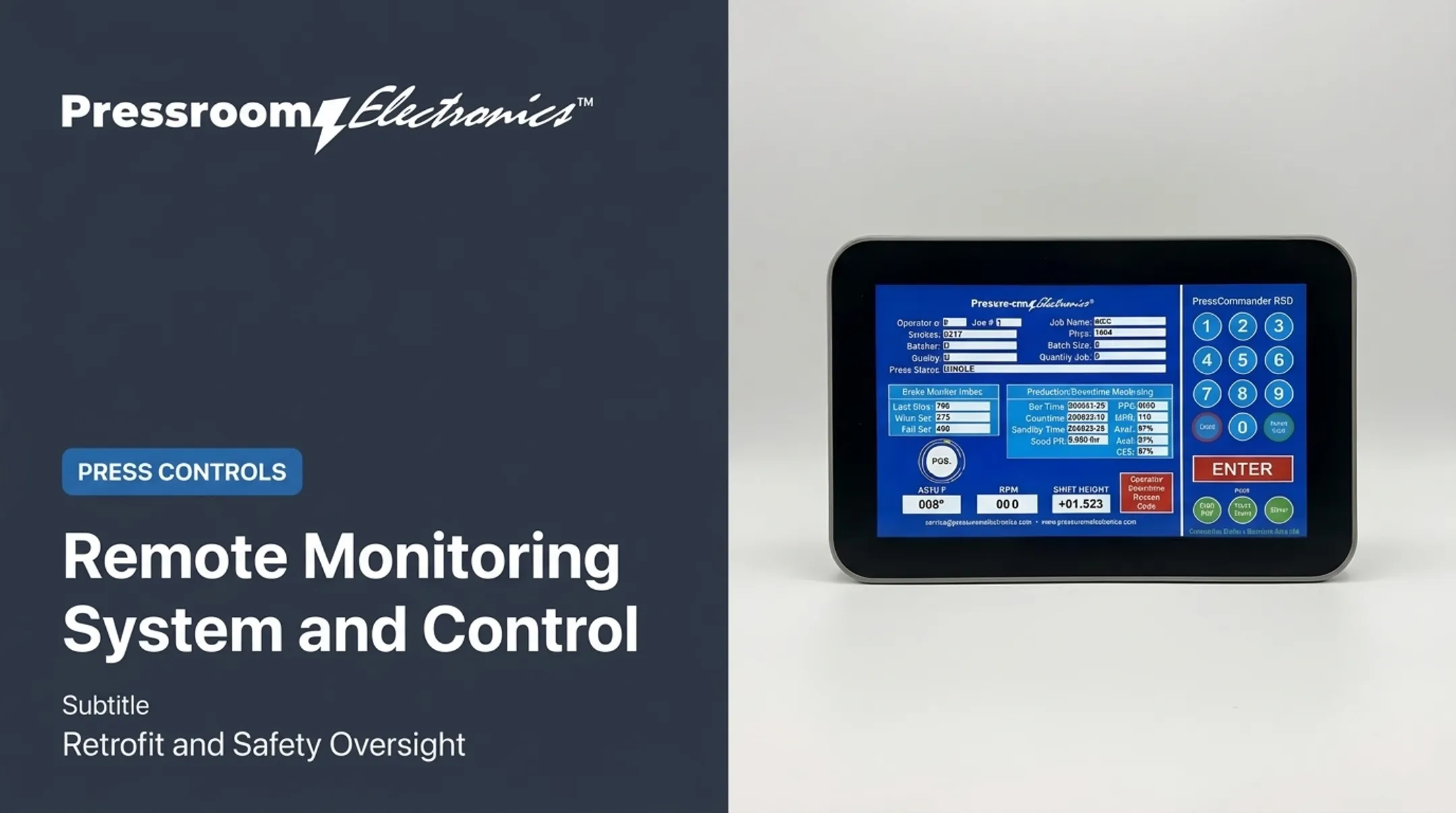
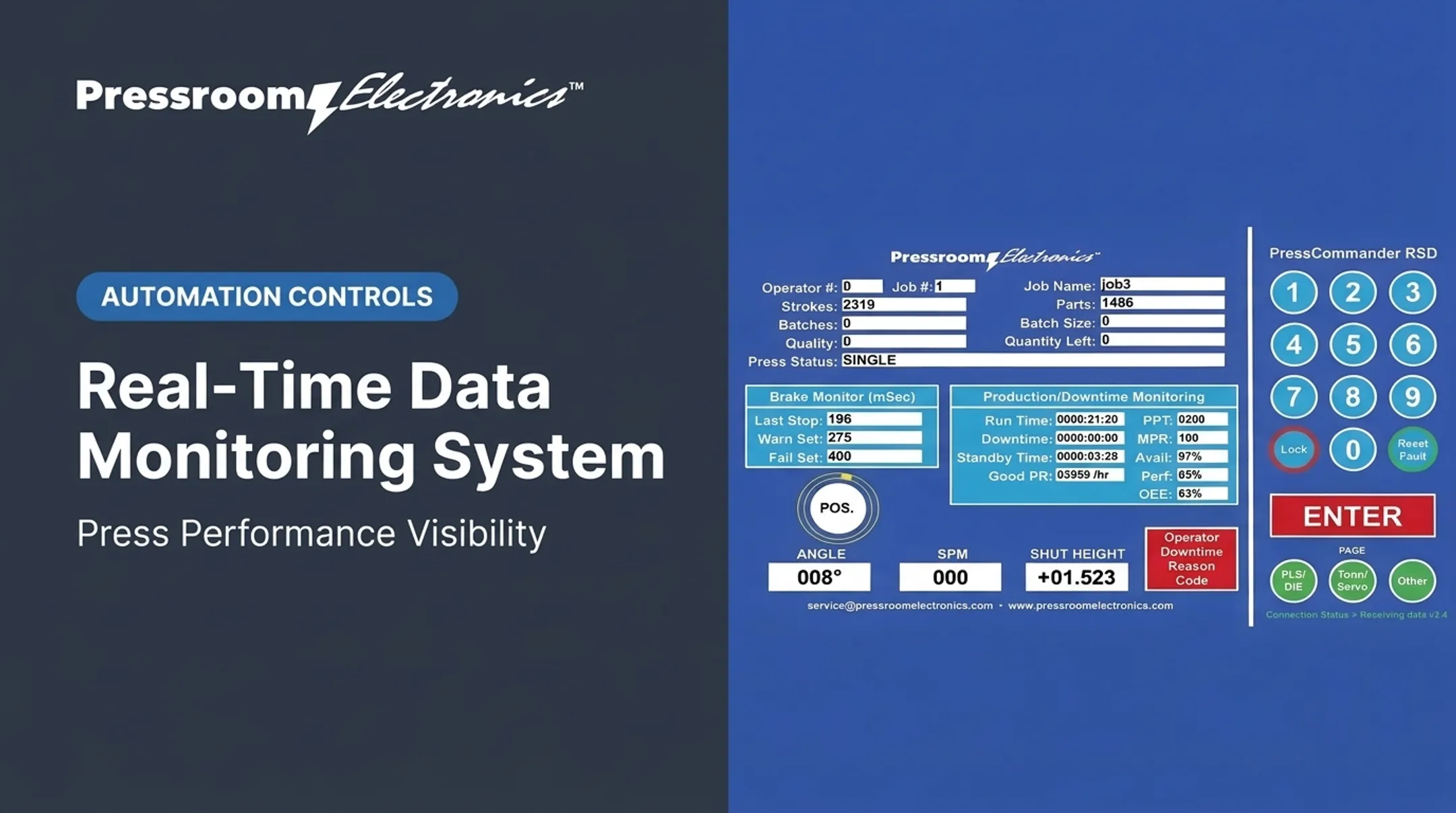
Live counts let operators and supervisors compare output with job, shift, or press targets without waiting for end-of-shift paperwork. A slowing press or tooling problem shows up in minutes. PressCommander's operator screen shows job, strokes, parts, quantity left, and rate, updating automatically.
Root-cause downtime information
Counts become actionable once paired with reason codes. Recurring patterns tell managers where to spend effort: maintenance, setup, training, or tooling. PDMS can also signal automatically from die protection, tonnage monitoring, shortfeed, and misfeed circuits.
Resource allocation and utilization
Comparable data across presses, shifts, and jobs shows where to put labor, maintenance, and supervision. History exposes underused presses and recurring bottlenecks, and helps balance work across available equipment.
Quality and scrap control
Separate total output from good, rejected, and reworked parts where the controls support it. With DIE#6 set to CNT in the PressCommander monitor, one pulse marks a good part and no pulse marks a bad one. Accurate counts support material planning, customer quantities, and scrap investigations. They do not replace inspection.
A real example: a NIST MEP Keats case describes a custom stamper that could not quantify availability, performance, and quality on hydraulic punch presses. Monitoring improved OEE measurement accuracy and made operator quality entry easier. The case study does not include a published dollar-savings figure.
Longer-term objectives
Accessible data supports capacity planning, preventive maintenance, and continuous improvement. Match detail to the audience:
- Operators: current job, count, and rate
- Maintenance: fault and downtime patterns
- Plant leadership: utilization and trends
- Remote stakeholders: summaries shared from the production office
Applications in Metal Stamping and Forming
Job shops
On a mechanical punch press, a counter tracks strokes or completed parts, often as a practical retrofit for aging equipment. You still need to factor in blank feeds, multiple-out tooling, short runs, and die changes. One stroke may make more than one part, so a stroke count alone can mislead.
High-volume automotive and appliance stamping
In these plants, total counts, good-versus-reject counts, rates, and downtime events matter across many lines. The data helps identify bottlenecks, watch expensive tooling, and compare shifts. Automotive customers may also require lot traceability under IATF 16949, though an accumulated count alone does not satisfy that.
Rebuilds, OEM machinery, and service upgrades
Rebuilders, OEMs, and service contractors can integrate a counter with existing controls, sensors, brake monitoring, die protection, or plant reporting. Before specifying a retrofit, document:
- Signal ownership
- Reset logic
- Panel space and wiring
- Operator access
- Safety-system boundaries
Keep those boundaries clear. OSHA's 29 CFR 1910.217 covers mechanical power presses and point-of-operation guarding, and production counting is not a substitute for those provisions.
How to Select and Implement a Digital Production Counter
Match the counter to the count and signal
Start with the question: does your plant need strokes, parts, batches, good units, rejects, rate, or several of these? Then verify the source signal, sensor type, pulse characteristics, and electrical compatibility. Check whether the press control or PLC already offers a usable output.
Compatibility is model-specific. Omron's H7CC-A, for example, switches between NPN and PNP inputs, and PNP HIGH is specified at 4.5-30 VDC. PressCam 8 accepts optically isolated AC or DC inputs, sourcing or sinking.
Confirm speed, timing, and accuracy
Maximum input frequency, minimum pulse width, filtering, and response time must match your cycle. The H7CC-A offers 30 Hz or 10 kHz settings with different minimum pulse widths. Test for:
- Missed or duplicate pulses
- Multiple-out counts
- Variable-speed operation
- Counts during setup and inching
Evaluate environment and hardware
Check these conditions against your actual pressroom, not general indoor use:
- Vibration, oil, chips, and dust
- Temperature and electrical noise
- Enclosure rating and display visibility
- Mounting, power, and access
NEMA Type 12 covers circulating dust and dripping or light splashing water; Type 4 adds hose-directed water. IP ratings are not equivalent to NEMA types. A panel-surface rating is also not a whole-assembly rating.
Keep wiring runs short and separate input wiring from power wiring to limit noise.
Plan integration, retention, and growth
List required connections (PLCs, HMIs, OEE or MES platforms, dashboards) and separate them from nice-to-haves. Then address:
- User permissions and data ownership
- Backup behavior and timestamps
- Historical retention
- Cybersecurity
- Room to add presses or metrics
Retention claims differ. H7CC-A specifies at least 10 years of memory retention, which is not ten years of timestamped history. Vorne XL describes roughly one year of production history.

Work with a pressroom controls partner
Pressroom Electronics is one resource for plants weighing production monitoring alongside press controls, brake monitoring, die protection, guarding, and custom punch press control applications. Factory programming, documented integration requirements, and remote upgrades are available. Keep production monitoring separate from safety functions.
To discuss a monitoring or controls application, contact Pressroom Electronics at 800-937-4334 or sales@pressroomelectronics.com.
Frequently Asked Questions
What is a digital production counter?
It is an electronic device or control function that counts pulses from sensors or press signals. Output can show locally or go to another production system.
How does it differ from a mechanical counter?
Mechanical counters advance number wheels through ratchet motion. Digital units process signals electronically, offer displays and integration, and have no wheels to wear.
Can it measure more than total output?
Yes. Depending on inputs, it can track strokes, parts, batches, good and rejected units, rate, targets, and downtime events.
How do counters support OEE?
They supply production and quality inputs. Availability, performance, downtime definitions, and software integration must still be configured correctly.
What sensors or signals work?
Common inputs include proximity sensors, photoelectric sensors, encoders, PLC outputs, and press-control signals. Verify electrical compatibility and pulse requirements first.
Can one be added to an existing punch press?
Often, depending on available signals, control architecture, panel space, wiring, machine condition, and reporting needs. Get a qualified controls assessment before installing.